How many hours a day do you spend on your phone?
The global average is roughly 4 hours a day. Without even realizing it, we pour one-sixth of our waking lives into a tiny screen. We tell ourselves "I'll cut back tomorrow" — and then tomorrow looks exactly like today.
Why does this keep happening? It is not a willpower problem. It is an environment problem.
In this guide, we will walk through five practical steps anyone can follow to reclaim their screen time. No white-knuckle discipline required — just small, deliberate changes to your environment that make mindless scrolling harder and intentional living easier.
Step 1: Face the Numbers — Check Your Screen Time
Change starts with knowing where you stand.
Open Settings > Screen Time on your iPhone and look at your weekly average. Most people are genuinely surprised to find they use their phone 1.5 to 2 times more than they expected.
Pay attention to three things in particular:
- Your top 3 most-used apps — which ones dominate your day?
- Peak usage times — when during the day do you reach for your phone the most?
- Pickups — how many times a day do you physically pick up your phone?
Write these numbers down. Compare them again in two weeks and you will be able to see real progress.
Step 2: Identify Your Triggers — Why Do You Pick Up Your Phone?
Around 80% of smartphone use begins with a habitual trigger.
| Feeling | Behavior | Go-to App |
|---|---|---|
| Bored | Unconsciously pick up phone | Instagram, TikTok |
| Anxious | Check the news | News apps, Reddit |
| In bed | "Just one more video" | YouTube Shorts, Reels |
| Working or studying | React to notifications | Social media, messengers |
Once you recognize your own trigger patterns, it becomes much clearer which apps to block and when.
Try asking yourself "Why did I just pick up my phone?" throughout the day. The patterns will reveal themselves quickly.
Step 3: Design Your Environment — Build Physical Barriers
Instead of relying on willpower, redesign your environment.
Start simple
- Remove social media apps from your home screen (bury them deep in folders)
- Turn off every notification except the essentials (messages, calls)
- Move your charger away from your bed at night
Go further: Use an app blocker
When you lock certain apps during specific times of day, the lock screen stops you in that split-second moment before a habit takes over. Pair an app blocker with a Pomodoro timer and distractions become physically impossible during focus sessions.
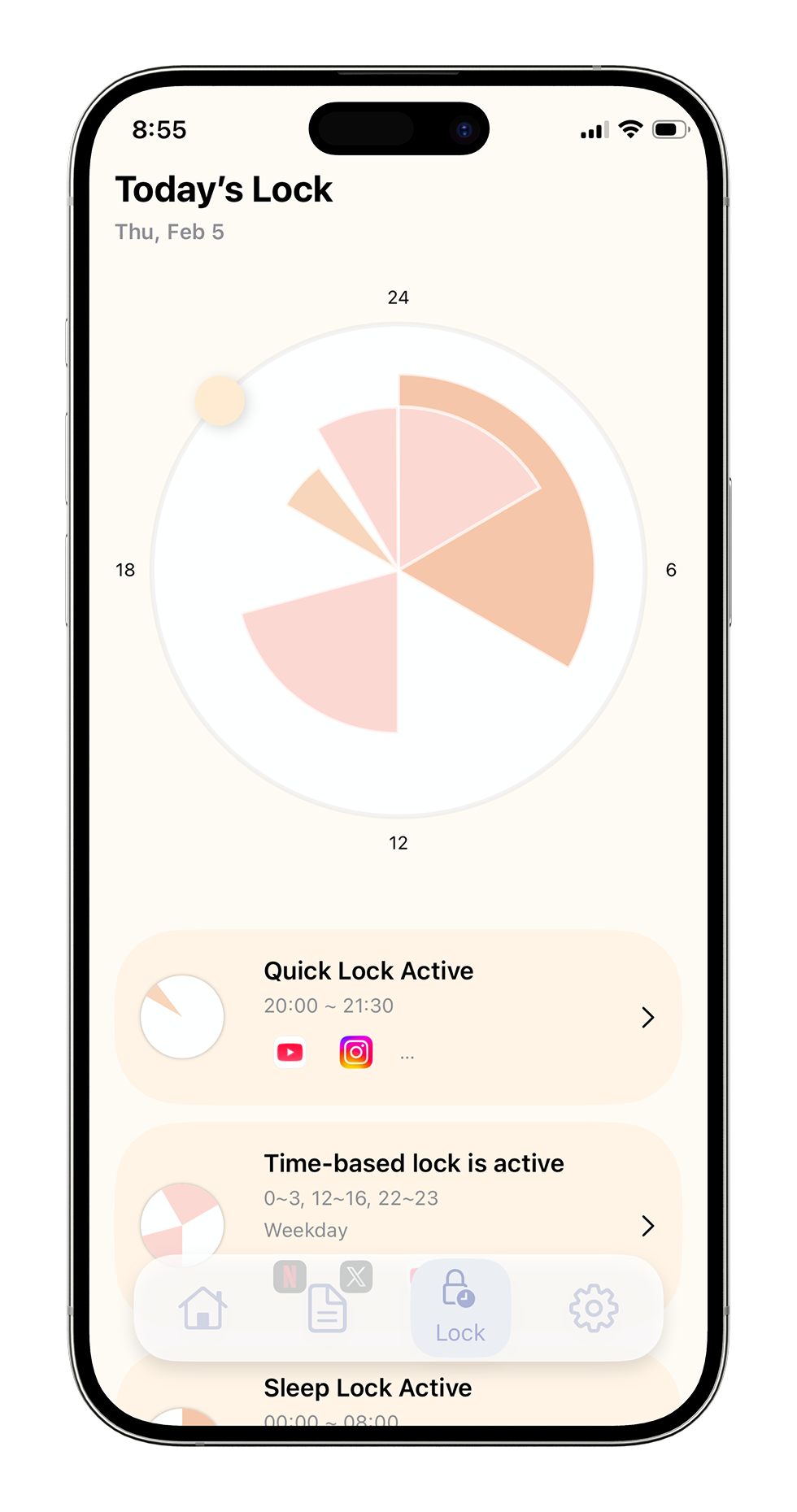
Among the app-blocking tools available on iOS, NoopDda offers four flexible lock modes designed for different situations:
Four lock modes for every situation
- Quick Lock — Block distractions right now, on the spot
- Scheduled Lock — Auto-block during study or work hours
- Sleep Lock — Eliminate late-night temptation
- Care Mode — Gradually reduce usage over time
NoopDda — App Blocker for iPhone
4-type lock system, Pomodoro timer, habit analysis reports. One-time purchase, no subscription.
Download on the App Store →Step 4: Fill the Gap — Replace Screen Time with Real Activities
Once you block your go-to apps, you will suddenly find yourself with free time. If you have not decided in advance how to use it, you will end up reaching for your phone again.
Here is what people who have successfully reduced their screen time do instead:
| Free Time | Alternative Activities |
|---|---|
| 5 min | Stretch, drink a glass of water, look out the window |
| 15 min | Read, take a walk, do a short meditation |
| 30 min+ | Exercise, cook something, work on a hobby |
The key is to decide ahead of time what you will do instead of scrolling. If you wait until the moment of temptation to make a choice, the phone wins every time.
Step 5: Track and Reflect — See Your Progress with Data
See your progress with data
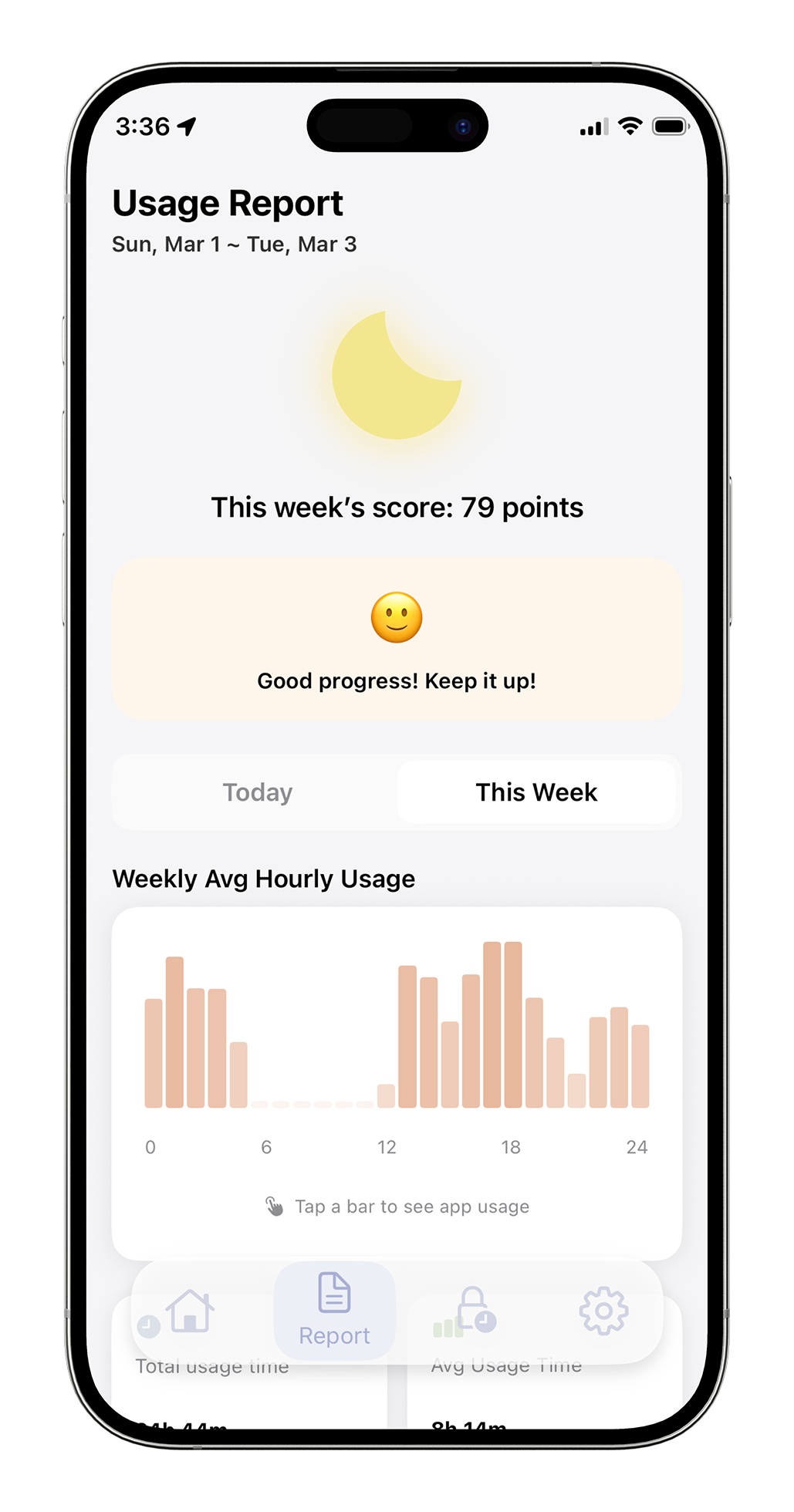
NoopDda automatically generates daily and weekly habit analysis reports, giving you a visual picture of how your usage patterns are shifting over time.
The most powerful motivator for sticking with a digital detox is seeing the change for yourself.
- Week 1: Screen time drops by 30 minutes to an hour
- Week 2: Pickup count noticeably decreases
- After a month: You catch yourself thinking, "Why did I used to spend so much time on my phone?"
Using an app that provides habit analysis reports makes this process much smoother. NoopDda automatically generates daily and weekly habit analysis reports, giving you a visual picture of how your usage patterns are shifting over time.
When small wins backed by real data start adding up, a digital detox stops feeling like something you have to endure — it becomes something you enjoy.
Closing Thoughts: You Do Not Have to Be Perfect
A digital detox is not about never using your phone. It is about regaining the ability to use it when you choose to, and put it down when you choose not to.
Start with Step 1 today. Just checking your screen time is already the first step forward.